
If you do not maintain your own career page on your website, you can simply link to the onboard career page.
Linking to the career page
To use the onboard career page, simply add a link to the page on your website.
You can do this in the footer, for example, by adding the text “Careers” or “Jobs” linked to the onboard career page.
The link to the page contains a tracker that you can use later in the statistics to see how many applications have been received via your website.
Example link: https://mycompany.onboard.org/en/jobs?from_career_page=true
Layout
The onboard career page corresponds to the typical onboard layout.
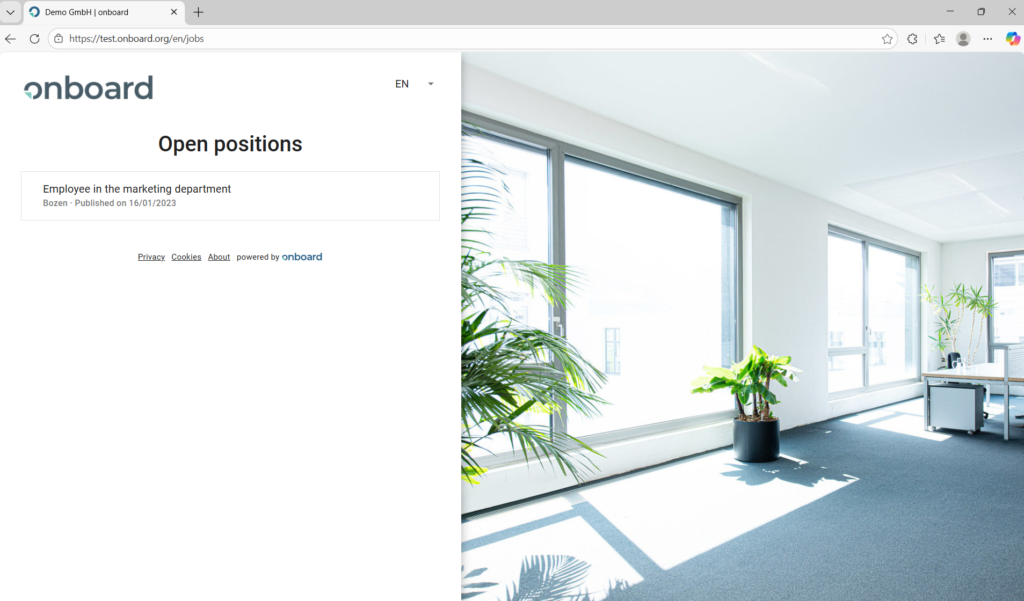
Possible adjustments
On request, the list view can be expanded to include a location and department filter.
Frequently asked questions
How can I change the order in the list?
By default, the most recent job advertisement will appear at the top of the list. If you would like to move a specific job advertisement to a different position, please proceed as follows:
- Open the job opening in the status “Published” in onboard.
- Select “Edit” in the administration box on the right.
- Change the publication date to move the job advertisement up or down in the list.
- Click on “Save”.